WordPress vs. Custom Website Through 6 Technical Differences That Matter
Compare WordPress and custom websites across cost, SEO, security, scalability, design flexibility, and management to choose the best platform for growth.
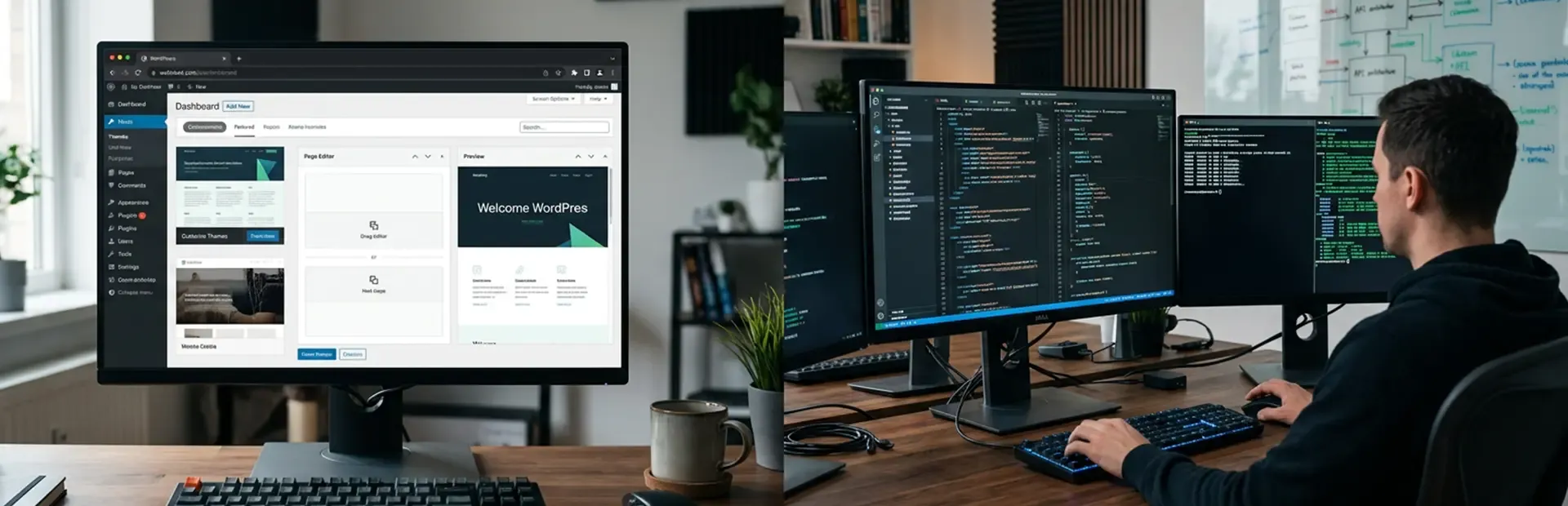
When comparing WordPress vs. custom website options, six technical factors drive the decision: cost, SEO performance, security, scalability, design control, and content management. WordPress suits businesses that need speed and affordability. Custom websites suit those with specific operational requirements. The right platform depends on your business architecture, not personal preference.
The website you build in 2026 is no longer just a digital brochure. It is a live operational system that connects your CRM, feeds your marketing stack, and either supports or limits your growth. Getting the platform decision wrong is expensive, and most businesses do not realize it until they are already locked in.
WellsGroup helps founders and operations leaders build digital infrastructure that performs and scales. If you are unsure which platform fits your business, request a proposal, and we will assess your requirements directly.
What Does WordPress vs. Custom Website Actually Mean for Your Build?
The two terms describe fundamentally different technical approaches, yet they get treated as minor variations of the same thing.
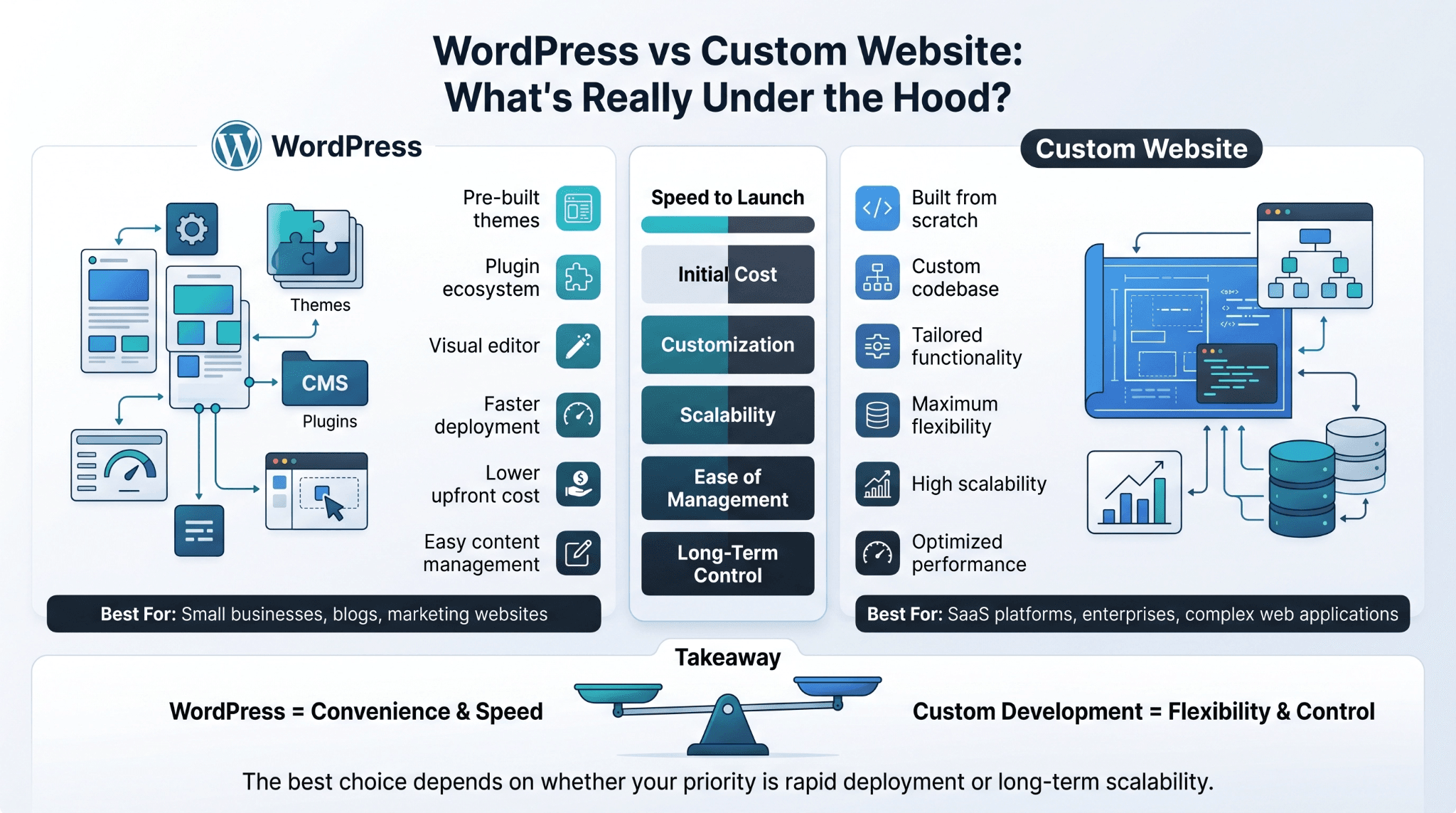
WordPress is an open-source CMS that runs on pre-built themes, plugins, and a visual editor. It gives non-technical teams the ability to build and manage websites without writing code. The CMS vs custom website distinction starts here: WordPress is a pre-built system you configure, not a system built around your business.
A custom website is developed from scratch using frameworks and programming languages chosen specifically for the project. There are no theme constraints, no plugin gaps to fill, and no inherited code from a third-party template.
Both can look professional. The difference is what runs underneath:
-
WordPress standardizes the build to reduce cost and speed up delivery
-
Custom development prioritizes precision, control, and long-term scalability
-
CMS vs custom website is ultimately a decision about flexibility versus convenience
That trade-off is the foundation of every platform decision worth making in 2026.
How Do Website Development Costs Compare Between the Two?
Website development cost is the first filter most businesses apply, and it is also the most misunderstood one. The upfront number rarely reflects the full 24-month cost of ownership.
WordPress lowers early investment by relying on existing infrastructure. Custom development front-loads costs because every component is built from scratch. Website design cost and ongoing maintenance shift that equation significantly over time.
Here is how the two platforms compare across key cost categories:
|
Cost Category |
WordPress |
Custom Website |
|
Initial build |
$3,000 to $20,000 |
$15,000 to $100,000+ |
|
Hosting (annual) |
$200 to $1,200 |
$1,000 to $5,000+ |
|
Plugin licenses (annual) |
$500 to $3,000 |
Not applicable |
|
Ongoing maintenance |
$1,200 to $6,000/yr |
$3,000 to $12,000/yr |
|
Security monitoring |
Add-on or manual |
Built into architecture |
Cost ranges reflect general 2026 market rates and vary by region, agency, and project scope.
What Does a WordPress Website Typically Cost to Build?
A freelancer-built WordPress site starts around $3,000 to $5,000. An agency-built site with custom design and plugin configuration runs $8,000 to $20,000. Factor in two years of hosting, plugin renewals, and support, and the total website design cost often reaches $15,000 to $30,000.
The cost most businesses miss is plugin dependency. Premium plugins carry annual renewal fees. When they conflict with each other or with WordPress core updates, fixing them requires paid developer time.
What Does a Custom Website Typically Cost to Build?
Custom development starts at $15,000 for a straightforward build and scales well beyond $100,000 for complex platforms with custom integrations and dynamic content systems. The website development cost is higher upfront because there is no pre-built foundation.
What businesses gain is a system without recurring plugin fees, template constraints, or performance trade-offs from layering third-party tools. For businesses with specific operational needs, that is often the better long-term investment.
Which Platform Performs Better for Speed and SEO?
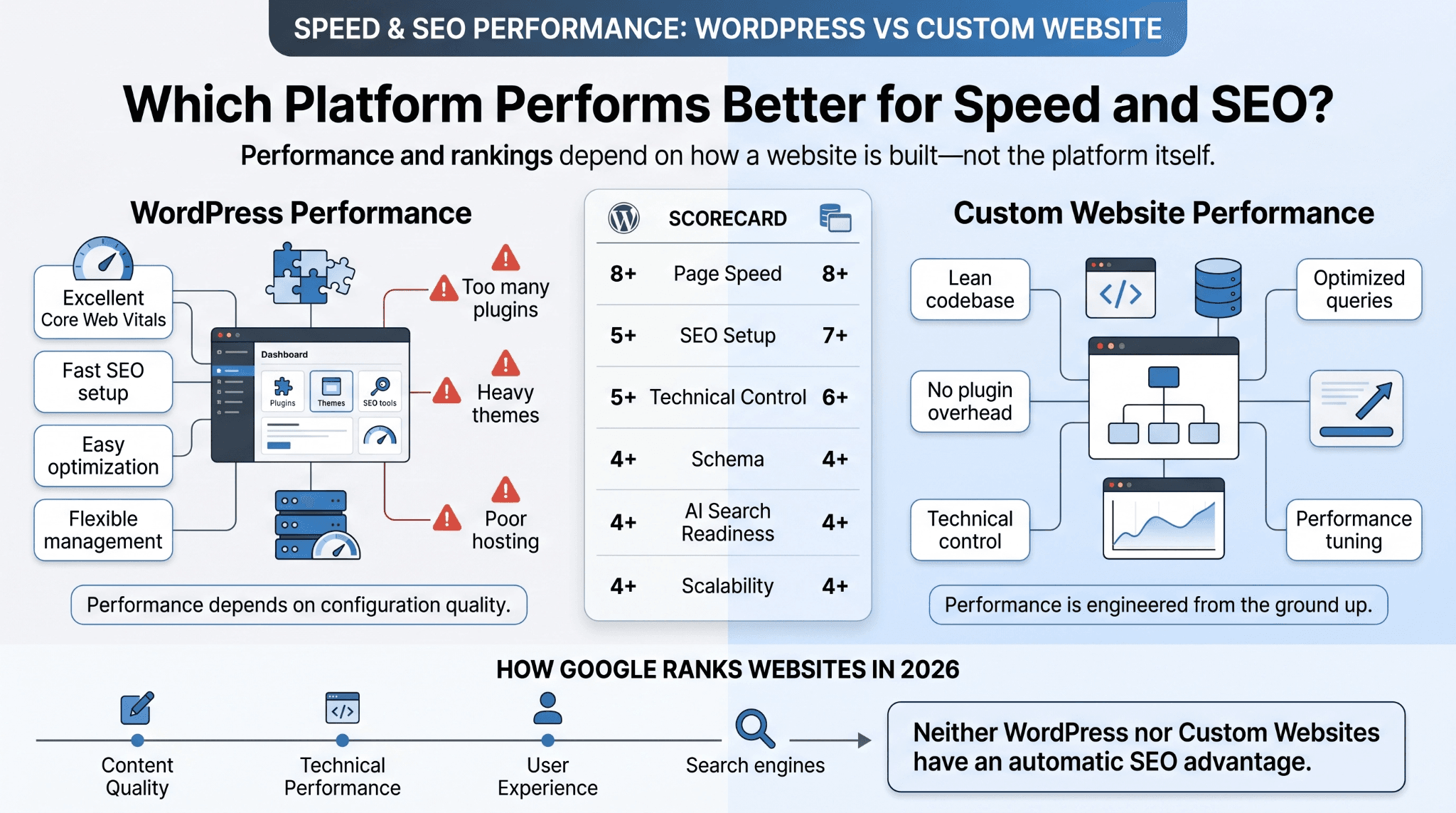
Page speed and search visibility are outcomes of how a website is built, not features that can be switched on afterward.
WordPress performance depends on theme quality, plugin count, and hosting infrastructure. A well-configured WordPress site can score well on Core Web Vitals. A site running 40 active plugins on shared hosting will not.
Custom websites are built lean by default. Every script and database query is intentional. There is no background code running from unused plugins or legacy theme functions.
Does WordPress or a Custom Website Rank Better on Google?
Neither platform has an inherent ranking advantage. Google evaluates content quality, technical performance, and user experience signals regardless of what the site runs on.
WordPress accelerates SEO setup through plugins like Yoast and Rank Math. Custom websites require those elements to be built into the architecture, but offer more precise control over schema, crawlability, and page structure once in place.
In 2026, Google AI Overviews, ChatGPT Search, and Gemini have raised the bar for structured, entity-rich content. Both platforms can support that structure. Custom builds allow more deliberate semantic architecture from the ground up.
How Do the Two Options Handle Security Differently?
Security is one of the most consequential differences in the CMS vs custom website comparison, and one of the most underweighted in early platform decisions.
WordPress powers 41.9% of all websites globally as of June 2026, according to W3Techs. That scale makes it the most targeted platform on the internet. Automated bots scan continuously for WordPress installations with outdated plugins, exposed admin paths, and unpatched themes.
Patchstack's State of WordPress Security 2026 report recorded 11,334 new WordPress vulnerabilities in 2025 alone, a 42% increase year-on-year. The vast majority originate in plugins and themes, not WordPress core.
Custom websites do not run on a publicly known framework. There is no standard file structure for bots to target, and no plugin ecosystem carrying inherited vulnerabilities.
Here is how the security profile of each platform compares:
|
Security Factor |
WordPress |
Custom Website |
|
Attack surface |
High (known framework) |
Low (proprietary build) |
|
Plugin vulnerabilities |
Primary risk vector |
Not applicable |
|
Admin path exposure |
Default and widely known |
Custom and protected |
|
Security update frequency |
Frequent and required |
Lower and controlled |
|
Ongoing maintenance burden |
Active and continuous |
Lower over time |
WordPress can be secured properly with the right infrastructure. However, it requires an active, ongoing security posture to stay ahead of known vulnerabilities.
Which Platform Is Easier to Scale as a Business Grows?
Scalability is where businesses most acutely feel the limitations of an early platform decision. A site that performs well at launch often creates real operational friction 18 to 24 months in.
WordPress handles content-heavy sites and standard business websites reasonably well. The limits emerge when:
-
Functionality does not exist in plugin form and requires custom development
-
High traffic volumes expose hosting and caching limitations
-
Deep CRM, automation, or data pipeline integrations are required
-
Plugin conflicts slow down development more than features advance it
Custom websites are architected from the beginning with a specific growth trajectory in mind. Infrastructure, integrations, and feature expansion are planned into the build rather than added on top of an existing system.
When Does WordPress Stop Being Enough for a Growing Business?
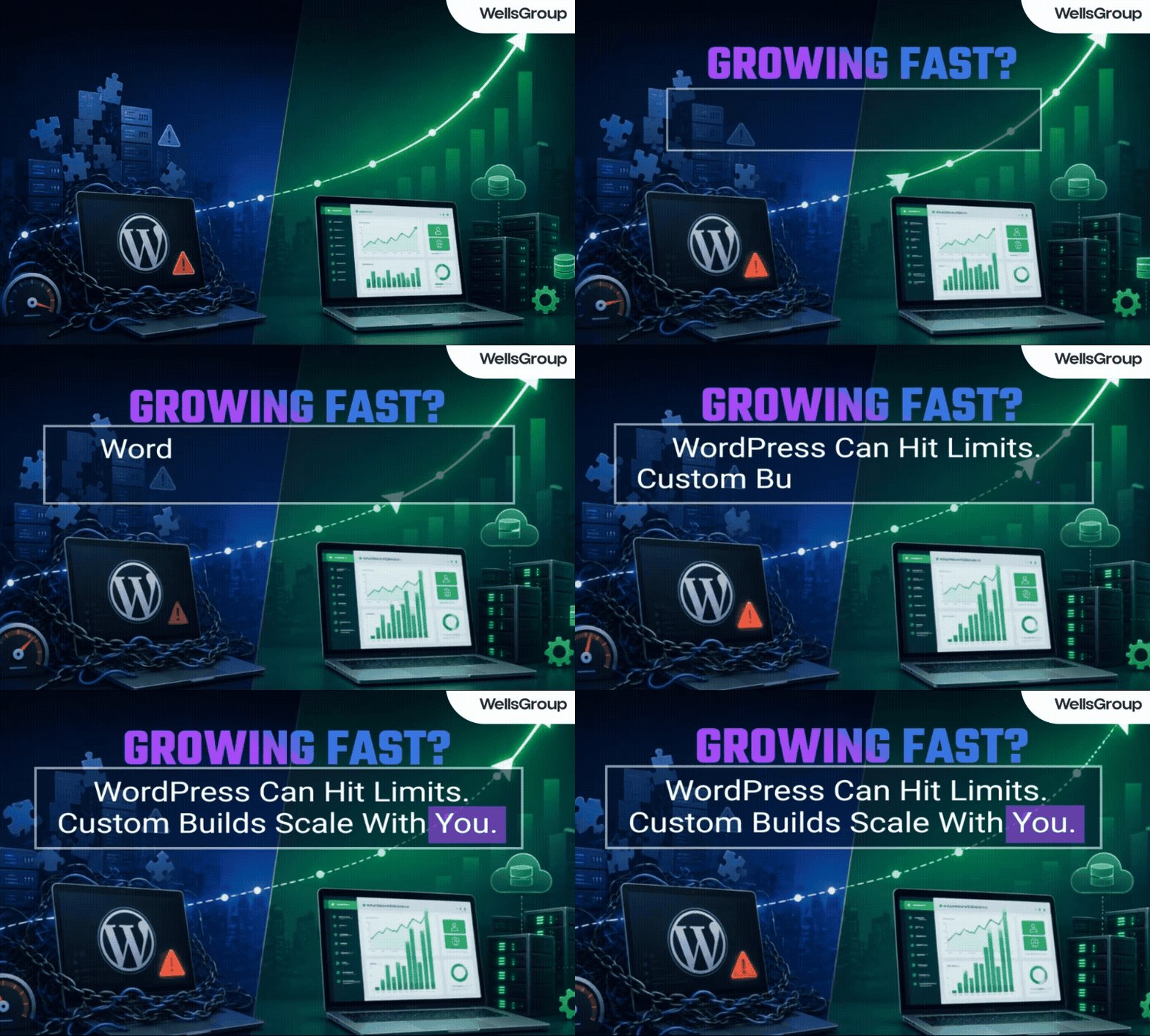
The threshold is not about site age or company size. It is about operational complexity. Clear signals that a business has exceeded what WordPress can efficiently support:
-
More than 30 active plugins required just to maintain the current functionality
-
Load times consistently above three seconds despite optimization efforts
-
Third-party integrations require custom middleware because no plugin exists
-
Development time spent managing conflicts rather than building new features
-
Site performance degrading under traffic volumes that paid campaigns generate
When two or more of these conditions are present simultaneously, the cost of staying on WordPress typically exceeds the cost of migrating to a custom build.
How Much Control Do You Have Over Design and Functionality?
In the custom website vs WordPress comparison, design control is one of the clearest dividing lines.
WordPress operates within its theme system. Page builders like Elementor and Divi extend those boundaries considerably, but they do not eliminate them. Every design decision is constrained by what the theme and builder can render.
Custom websites have no inherited constraints. Layout, interaction design, animation, data display, and user flow are all built to exact specifications. There is no workaround required and no compromise forced by template logic.
For businesses where brand precision and conversion performance are operational priorities, the freedom of a custom build translates directly into better user experience outcomes.
Which Option Is Easier to Manage on a Day-to-Day Basis?
WordPress has a genuine and well-earned advantage in day-to-day content management. The platform was designed from the beginning for non-technical users. Marketing teams can publish, edit, and update content without developer involvement.
Custom websites require a content management layer to achieve the same usability. Options include:
-
A headless CMS such as Contentful, Sanity, or Strapi integrated into the build
-
A custom-built admin interface created alongside the site
-
Developer involvement for content changes when no CMS layer exists
The practical question is who manages the site. If a non-technical marketing team handles daily content, WordPress is the more operationally efficient choice. If content is managed infrequently or by embedded developers, a custom website with a lightweight CMS backend is a better long-term fit.
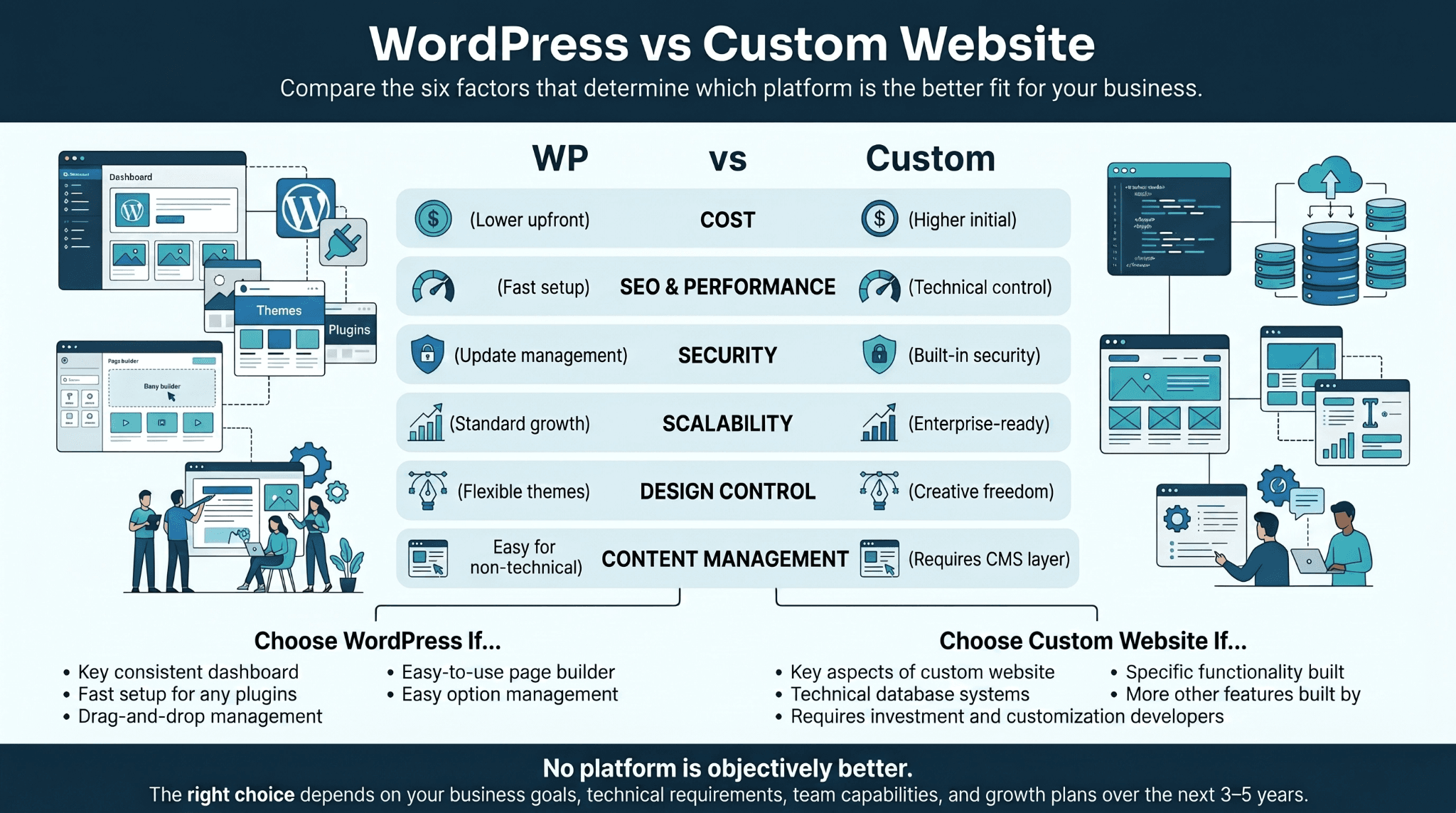
WordPress vs. Custom Website Across the 6 Technical Differences That Matter Most
Here is a direct summary of where each platform stands across all six dimensions:
-
Cost: WordPress costs less upfront. Custom websites carry a higher initial investment but reduce recurring plugin and maintenance costs over time.
-
SEO and performance: Both platforms can rank well. Custom websites offer more precise technical control. WordPress offers faster SEO setup through plugins.
-
Security: Custom websites have a smaller attack surface by default. WordPress requires active, continuous security management.
-
Scalability: Custom websites are architected for specific growth requirements. WordPress hits functional and performance ceilings as operational complexity increases.
-
Design control: Custom websites offer unrestricted design freedom. WordPress operates within theme and plugin boundaries.
-
Content management: WordPress is more accessible for non-technical teams. Custom websites need a CMS layer to match that usability.
No platform is objectively better. The right choice aligns with your operational requirements, team capacity, and growth trajectory over the next three to five years.
What to Know Before You Commit to Either Platform in 2026
There are consistent points of confusion that come up when businesses research this decision. The following addresses the most common ones directly.
Before diving in: these are not theoretical concerns. They reflect real decision points that founders and operations leaders face when evaluating website infrastructure.
Is WordPress good enough for a professional business website?
Yes, for most standard business use cases. WordPress supports professional design, solid SEO, and reliable content management. Limitations appear when operational complexity grows beyond what plugins and themes can support efficiently.
Can a custom website use a CMS for easy content updates?
Yes. Most well-built custom websites include a headless CMS or a custom admin interface. Platforms like Contentful, Sanity, and Strapi are commonly integrated to give marketing teams content control without developer dependency.
Which option is better for eCommerce in 2026?
It depends on scale and complexity. WooCommerce on WordPress works well for small to mid-size stores. High-volume operations with complex inventory systems, fulfillment integrations, and custom checkout logic benefit from a custom-built platform.
How long does each type of website take to build?
A WordPress site typically takes four to eight weeks from brief to launch. A custom website typically takes three to six months, depending on scope and integration requirements.
Does migrating from WordPress to a custom website affect SEO?
A properly managed migration preserves and often improves SEO. The risk comes from poor URL management, missing redirects, or unplanned content architecture changes. Technical SEO oversight during migration minimizes long-term ranking disruption.
WordPress vs. Custom Website and Which One Is Right for Your Business in 2026
The platform question is ultimately an infrastructure question. WordPress suits businesses that need speed to market, manageable costs, and accessible content tools. Custom websites suit those with specific operational requirements, growth complexity, or brand standards that no template can meet.
In 2026, the bar for website performance has risen across every dimension. AI search visibility, Core Web Vitals, and integration depth are baseline requirements, not optional upgrades.
WellsGroup designs and operates digital systems built to perform from day one and scale without friction. The decision starts with an honest assessment of what your business actually needs. Get a free consultation, and we will help you make the right call.